Best Free and Affordable Tools to Copy DVD
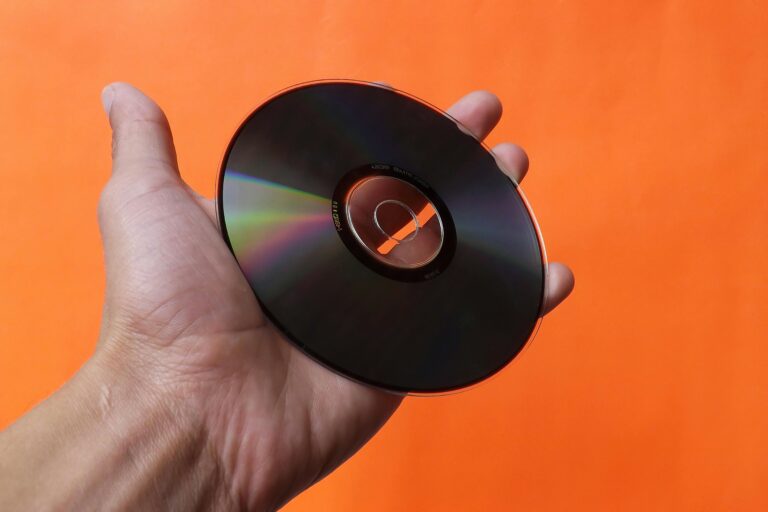
Copying a DVD you own is a reasonable thing to do. You want a backup before the disc scratches, or you want to watch your movie on a laptop that has no optical drive. The tools to do this have existed for years, and several of them cost nothing. The challenge is knowing which ones actually work, which ones are worth paying a small amount for, and which ones waste your time with outdated code or cluttered interfaces.
This article cuts through that. I have tested these tools personally and I recommend them based on real performance.
Understanding What You Are Dealing With

Most commercial DVDs have copy protection baked in. The common standard is CSS (Content Scramble System), and some discs add layers like ARccOS or RipGuard on top. A basic file copy with Windows Explorer produces nothing usable. You need software that handles the decryption as part of the rip.
Keep in mind that copying a disc you own for personal backup sits in a legal gray area in the US. Copying and distributing content you purchased is a different matter entirely. This article is written for personal backup purposes.
The Best Free Options
HandBrake with libdvdcss
HandBrake is my top free recommendation. It is an open-source video transcoder that has been actively maintained for years, and the output quality is excellent. On its own, HandBrake reads unprotected DVDs. Add the libdvdcss library and it handles CSS-protected discs too.
Installing libdvdcss is a quick one-time task. On Windows, you drop the DLL file into the HandBrake program folder. On macOS and Linux, the process takes two minutes via the command line. After that, HandBrake rips directly to MP4 or MKV with full control over resolution, audio tracks, and subtitles.
The trade-off is that HandBrake transcodes, meaning it re-encodes the video rather than creating an exact disc image. For most backups, this produces a smaller file with great quality. If you want a bit-for-bit copy, look elsewhere.
MakeMKV
MakeMKV is in a category of its own. It creates a 1:1 copy of the disc content in MKV format, preserving every audio track, subtitle stream, and chapter marker. It handles CSS protection and reads Blu-ray discs as well.
The pricing model is clever. MakeMKV stays in perpetual beta, so the full version is free during that beta period. The developers update the registration key every 30 to 60 days and post it publicly on their forum. You enter the key and the full program works at no cost. If you want to support the project, a permanent license runs about $50, which I consider fair given the quality.
For pure DVD backup work, MakeMKV is the most reliable free tool available.
VLC Media Player
VLC gets overlooked as a ripping tool, but it handles basic DVD copying via its convert/save function. It works on CSS-protected discs and outputs to a variety of formats. The interface for ripping is buried in the menus and takes some patience to configure, but the price is right and the software is on most computers already.
I recommend VLC for occasional one-off rips when you want a quick solution without installing anything new.
Affordable Paid Options Worth Considering
Sometimes free tools hit a wall. Newer discs with aggressive protection schemes, or DVDs with structural errors, can stump HandBrake and MakeMKV. That is when a paid tool earns its price.
DVDFab DVD Copy
DVDFab is the gold standard for stubborn discs. It handles virtually every protection scheme in circulation, including the aggressive ones that trip up free tools. A full license runs around $60 to $80 per year depending on the tier you choose. A lifetime license is available for around $100.
The software has multiple copy modes: full disc, main movie only, and custom. The interface is polished and the process is about as straightforward as this task gets.
AnyDVD HD (Now Owned by RedFox)
AnyDVD HD works differently from the others. It runs in the background and removes copy protection at the system level, so any other burning or ripping software sees a clean, unprotected disc. The annual subscription runs around $50. If you already have a burning program you trust, this approach pairs well with it.
Quick Comparison Table
| Tool | Cost | Copy Type | Protection Handling | Best For |
|---|---|---|---|---|
| HandBrake + libdvdcss | Free | Transcode to MKV/MP4 | CSS | Quality compressed backups |
| MakeMKV | Free (beta key) | 1:1 MKV copy | CSS, some advanced | Full backups, Blu-ray too |
| VLC Media Player | Free | Transcode | CSS | Quick occasional rips |
| DVDFab DVD Copy | $60-$80/year | Multiple modes | Extensive | Difficult discs, heavy users |
| AnyDVD HD | ~$50/year | System-level removal | Extensive | Pairing with other software |
Tips for Better Results
A few habits make the process smoother regardless of which tool you use.
- Clean the disc before ripping. A microfiber cloth wiped from the center outward removes most read errors before they happen.
- Rip to a drive with at least 10 GB of free space. A full DVD image can hit 8 GB before compression.
- Use MKV containers when possible. MP4 has compatibility advantages, but MKV handles multiple audio tracks and subtitles with fewer headaches.
- If a rip fails partway through, check whether the disc has physical damage. Software cannot fix a deep scratch.
- Store your completed rips on a separate drive from your operating system. If the OS drive fails, your library survives.
Key Takeaways
Start with MakeMKV for any disc where you want a complete, lossless copy. Pair HandBrake with libdvdcss when file size matters and you are comfortable with transcoded output. Use VLC for convenience when you already have it installed. If you hit a disc that resists everything free, DVDFab solves the problem reliably for a modest annual cost.
The tools are mature and well-maintained. Pick the one that matches your workflow and you will have working backups within the hour.